
Update: October 2, 2026
Many people in Facebook groups say their phones become slow as soon as they open the Facebook app, even with a stable internet connection. At first, it seems like the phone is causing the problem. I noticed the same thing on an Infinix Smart 7, so I tested it to narrow down the cause.
In my test, Facebook was the only app that was slow to open and kept loading, while other apps worked normally. So I started by troubleshooting the app first.
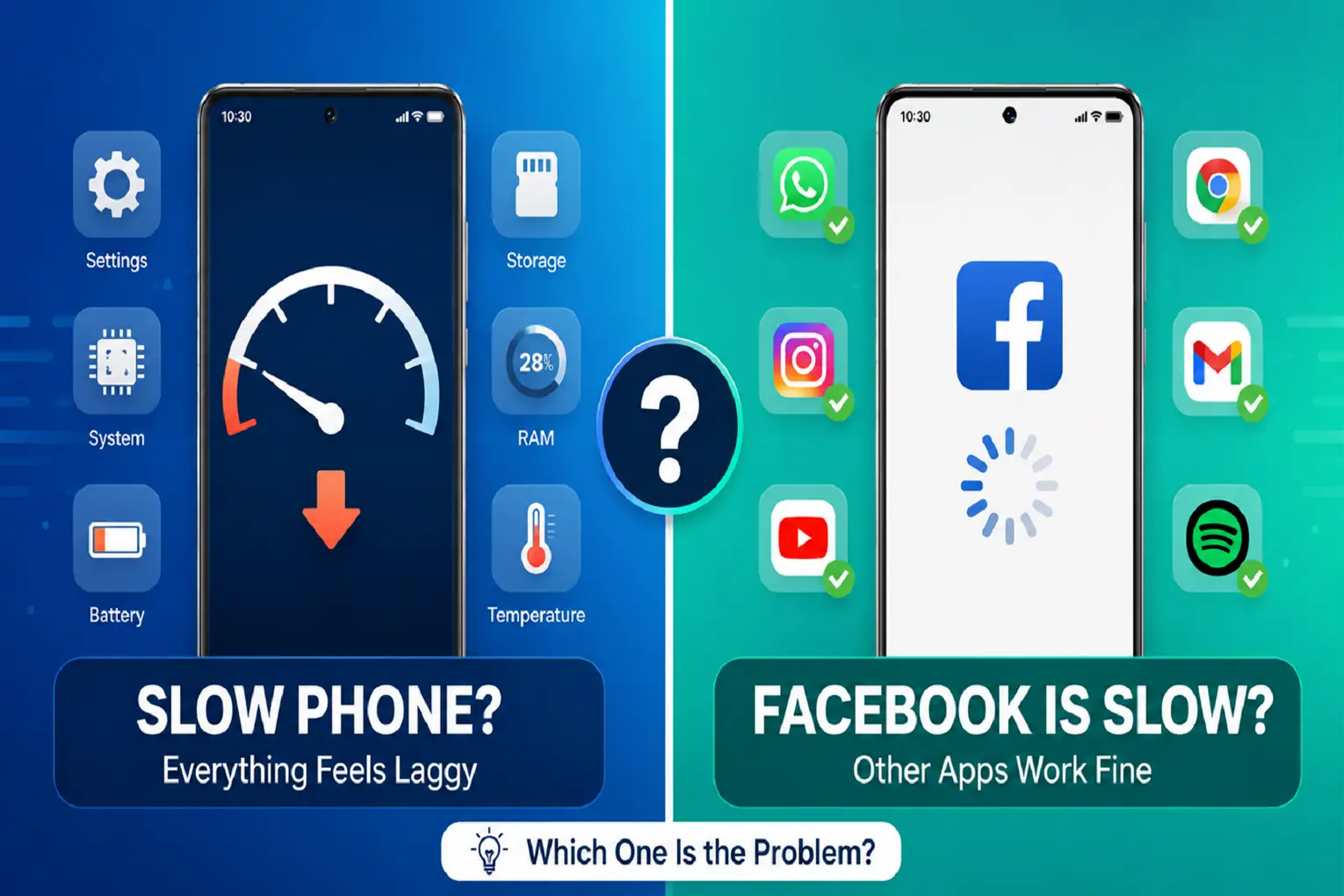
If you’re facing the same issue, you can easily check what’s causing it. Close Facebook and open a few other apps, such as YouTube, WhatsApp, or TikTok. If they run normally but Facebook is still slow, the app is most likely responsible. If all apps are slow, the issue may be related to your phone, internet connection, or system settings.
If Facebook is mainly slow inside the app, you can also check our guide on how to stop Facebook’s in-app browser from lagging or freezing for problems that happen when opening links inside Facebook.
If Your Entire Phone Is Running Slow
Restart Phone
Restarting your phone can clear temporary issues and close processes that may be affecting performance. This can fix minor slowdowns that build up over time.
Check for System Updates
Check for a pending system update. On Android, look under Settings → System → Software update (the name varies by phone). On iPhone, go to Settings → General → Software Update.
Check Available Storage
When storage runs low, your phone has less room to handle temporary files, app updates, and background tasks — and performance can suffer as a result.
Android
Open Settings → Storage to see how much free space is available. If it’s nearly full, remove unused apps, delete old downloads, or move large files elsewhere.
iPhone
Go to Settings → General → iPhone Storage to see which apps and files take up the most space, and remove what you no longer need.
Check Phone Background Activity
Some apps can continue using system resources in the background, even when you’re not actively using them. If too many apps are doing this, your phone may feel slower.
On Android, check your phone’s battery or app settings for apps using resources in the background. Menu names vary by phone. On iPhone, go to Settings → General → Background App Refresh to manage which apps can refresh in the background.
Check Your Internet Connection
If Facebook and other apps are slow to load, switch between Wi-Fi and mobile data to see if one connection works better. If Wi-Fi is the problem, restart your router.
If other apps are slow too, the problem may not be Facebook at all. For example, if Instagram Reels won’t load or show a black screen, the cause can be the same: temporary app files, low storage, network problems, or phone performance.
If Facebook Is Slow
Check Whether Facebook Is Having an Outage
If Facebook suddenly becomes slow while other apps work normally, the problem may be temporary. Check Downdetector or search for “Facebook down” to see if other users are reporting the same problem.
Clear Facebook Cache
Facebook stores temporary files — images, videos, and other data — to load content faster. Over time, these files can build up and cause performance issues.
Android
Go to Settings → Apps → Facebook → Storage → Clear Cache to remove them. Tap Clear Cache, not Clear Data or Clear Storage, as those can log you out. Menu names vary slightly by phone.
Clearing the cache does not delete your Facebook account, messages, photos, or saved information — it only removes temporary data the app stores locally.
iPhone
iPhone doesn’t offer a way to clear the cache for individual apps. If Facebook is still causing problems, reinstalling it is the closest equivalent fix.
Update the Facebook App
Running an older version of Facebook can cause slow performance, particularly after your phone receives a new Android or iOS update.
- Android: Play Store → profile icon → Manage apps & device → Updates available.
- iPhone: App Store → profile icon → Available Updates.
If you run into trouble updating, Google’s Play Store help guide covers common update issues.
Reinstall Facebook
If Facebook is still slow after clearing the cache and updating, reinstalling it often helps. Make sure you remember your Facebook login before reinstalling.
Android
- Uninstall Facebook.
- Restart your phone.
- Reinstall Facebook from the Google Play Store.
iPhone
- Go to Settings → General → iPhone Storage → Facebook.
- Tap Delete App for a full fresh start. Offload App removes the app but keeps its data, so it may not fix data-related problems.
- Reinstall from the App Store.
Reinstalling Facebook downloads a fresh copy of the app and can fix problems caused by corrupted app files or data.
When the Problem Is Your Phone, Not Facebook
If you’ve tried the fixes above and your phone still feels slow across multiple apps, Facebook likely isn’t the real cause.
Older phones with limited RAM, slower processors, or very little free storage can struggle to run demanding apps smoothly. Newer app versions can also place greater demands on older hardware. Freeing up storage, reducing background activity, and keeping apps updated can still help, but there’s a limit to how much these changes can offset aging hardware.
Quick Troubleshooting Table
| Issue | Possible cause | How to fix it |
|---|---|---|
| The whole phone or multiple apps are slow | Low storage, background activity, or system issue | Restart, free up storage, reduce background activity, check for system updates |
| Only Facebook is slow | Cache or app-related issue | Clear Facebook’s cache on Android, then update the app |
| Facebook is still slow after updating | App files or data issue | Reinstall Facebook |
FAQ
Why does Facebook run slow even when my internet seems fine?
A good connection doesn’t guarantee the app will run smoothly. Built-up cache, an outdated app version, or a temporary problem on Facebook’s side can slow it down even when your Wi-Fi or mobile data is working normally.
Will clearing Facebook’s cache remove my photos, messages, or account?
No. Clearing the cache only removes temporary files. Your account, chats, and photos are not affected.

- Face ID Not Working After iOS Update? How to Reset and Fix - September 29, 2026
- Phone Speaker Sound Low After Water Contact — How to Fix It - September 26, 2026
- Galaxy S26 Ultra Wireless Charging Stuck at 10W/15W - September 17, 2026
