
Last checked: October 12, 2026
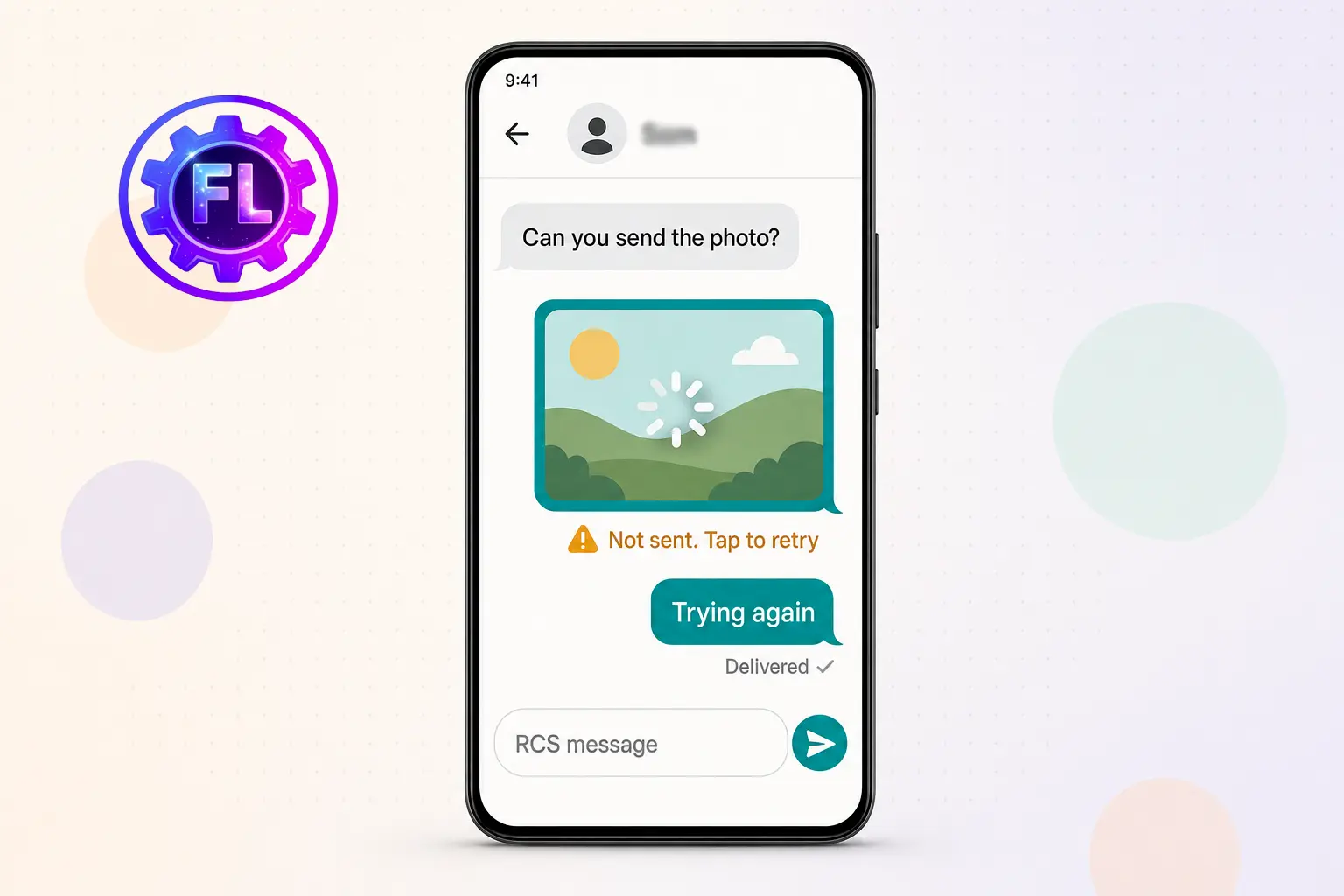
You send a photo in Google Messages, but instead of “Delivered,” you see “Not sent” with a Retry button. You tap Retry, and it fails again. GIFs and videos can get stuck the same way, while plain text in the same chat sends fine. It’s natural to blame your phone, your SIM or your internet. But in many of these cases, the problem is not on your end.
Google has now confirmed it. On October 2, 2026, a Google spokesperson told Android Authority that a bug is disrupting RCS message delivery for some Google Messages users, and that a fix is already rolling out. Users had been reporting the problem on Reddit before that.
The fix is reaching people gradually over the coming weeks, so some phones are still affected today. This guide separates what Google has confirmed from what users are only reporting, and shows which steps are safe to try while you wait.
What to Do First: Update Google Messages
There’s no instant fix you can apply yourself. The real repair has to come from Google, so the best first move is making sure your phone is ready to receive it.
- Open the Play Store and tap your profile picture.
- Tap Manage apps & device, then Updates available.
- If Google Messages is on the list, update it. Then open the app and try sending the file again.
Still not sending, and you need it delivered now? Turn RCS chats off temporarily to send it as an MMS, or share the file through another app. Both options are covered below.
Confirmed by Google
- Some Google Messages users are affected by a bug that can disrupt RCS message delivery.
- Google says its fix is already rolling out and should reach users over the coming weeks.
- Users are advised to keep Google Messages updated to the latest version.
Not confirmed by Google
- Photos, videos and GIFs are not named as the only affected types. The statement talks about RCS message delivery in general.
- Affected phones, Android versions and Messages versions are not listed.
- It is unclear whether the fix arrives as a Messages app update or from Google’s side. Coverage so far calls this unclear.
Reported by users, but unverified
- Photos, GIFs, stickers and Photomoji fail when sent to other Android phones over RCS, while some people can still send media to iPhones.
- One Pixel 8 owner said links failed along with photos and videos.
- Galaxy owners who use Google Messages describe the same symptom.
- Another user said the app either failed outright or sent all the files at once.
How to Tell Whether This Is the Bug
Run these checks before changing anything:
- Send a short text in the same chat. If text goes through and media stalls, you match the pattern users describe. If text fails too, check your signal, mobile data and SIM first, because that is a different problem.
- Check your RCS status. Open Messages, tap your profile picture, then Messages settings, then RCS chats. On some versions this is labeled Chat features. If the status says your carrier is not supported or setup is stuck, you are dealing with an RCS connection problem and Google’s RCS troubleshooting page applies instead.
- Try the same file with an iPhone contact. Some users say iPhone chats are not affected, so a success there points toward this bug rather than a broken connection. It is a hint, not proof.
Steps to Try While You Wait
None of these is an official fix for this bug. They are low-risk checks, and users report mixed results.
Step 1: Switch networks
RCS can run over Wi-Fi or mobile data. Turn Wi-Fi off and retry on mobile data, or the other way around. This will not fix a bug on Google’s side, but it rules out a weak connection.
Step 2: Restart and clear the app cache
Restart the phone. Then go to Settings, Apps, Messages, Storage and cache, and tap Clear cache. Clearing the cache does not delete your conversations. Do not tap Clear storage. Users report that restarting, force stopping, clearing cache and resetting network settings did not help everyone.
Step 3: Turn RCS chats off and on
In Messages, tap your profile picture, then Messages settings, then RCS chats. Turn it off, wait about a minute, and turn it back on. Results reported so far are mixed, and Google has not listed this as a fix.
Step 4: Send as MMS until the fix arrives
Google’s help page says messages can still go out as SMS or MMS when RCS is not in use, so switching RCS chats off should let Messages fall back to MMS for photos and videos. This is not a guaranteed workaround, because the exact behavior can vary with your carrier, phone and app version. MMS depends on your carrier and mobile data, it usually has tighter size limits than RCS, and standard carrier rates may apply. Test with one small file first. Once Google’s fix reaches you, switch RCS chats back on.
If the file is urgent and MMS fails too, send a Google Photos link, an email, or use another messaging app.
What NOT to Do
- Do not clear storage or uninstall Messages as a first move. A reader comment on Android Authority describes losing contact background pictures and some messages after clearing storage and reinstalling. Google has not recommended this for this bug.
- Do not factory reset your phone. Google describes a bug that affects delivery for a subset of users, with a fix on the way. Nothing suggests your device is damaged.
- Do not tap send on the same file again and again. Users reported media sometimes arriving all at once, so repeated attempts can reach your contact as duplicates. Wait a few minutes before retrying.
- Do not leave RCS chats off permanently. You lose RCS features such as high-resolution media sharing. Treat it as a temporary workaround.
Frequently Asked Questions
Does this affect Samsung Galaxy phones too?
Reports from Galaxy owners who use Google Messages describe the same problem. Google has not named any phone brand in its statement, only a subset of Google Messages users.
Will the October 2026 Pixel update fix it?
The bug fixes listed for the October Pixel update cover the on-screen keyboard in search fields, ringtone distortion during some VoIP calls, and photo orientation on Pixel 11. RCS delivery is not on that list, and Google says the repair is tied to Google Messages.
How do I know the fix has reached my phone?
In the coverage reviewed, Google has not published a version number for it. After updating Messages, send one small photo to an Android contact over RCS. If it delivers normally, you are likely past the bug.
Will sending as MMS cost extra?
That depends on your carrier plan. MMS uses mobile data and needs carrier support, so check your plan or ask your carrier before sending large files this way.
Is this the same as the Google Messages bug that sent old texts to the wrong people?
Google gave separate statements for that September issue, which involved transferring to a new phone, and for this October RCS delivery bug. Neither statement connects the two.
Sources
- Android Authority: Google says a fix is on the way for Messages RCS problems
- Google Messages Help: RCS chats by Google FAQ

- Pixel 10 and 11 Camera Showing a Black Screen? How to Fix - November 13, 2026
- Microsoft Outlook Not Loading? What EX1550543 Means for Phone Users - November 13, 2026
- iOS 27.2.1 Security Fixes and What to Do If Your iPhone Feels Off - November 12, 2026